










DMX Basics for Moving Head Lights: Cables, Channels, Modes
- Understanding DMX for Stage Moving Head Light Operators
- Why DMX matters for stage moving head light systems
- DMX cable types and physical layer best practices for stage moving head light
- DMX universes, addressing, and why they matter to your stage moving head light rig
- Common DMX channel modes for moving head lights (practical comparison)
- Understanding common channel assignments and examples for stage moving head light
- Troubleshooting DMX problems on moving head light rigs
- Advanced control: RDM, Art-Net and sACN with stage moving head light
- Practical setup checklist for a reliable moving head light rig
- VANRAY Lighting: Solutions for professional stage moving head light needs
- Comparative snapshot: Choosing VANRAY fixtures for your DMX-controlled show
- FAQs — Common questions about DMX and moving head lights
- 1. What cable should I use for connecting stage moving head light fixtures?
- 2. How many DMX channels does a moving head light need?
- 3. Can I mix 3-pin and 5-pin XLR on the same DMX line?
- 4. When should I use Art-Net or sACN instead of DMX512?
- 5. What is RDM and how does it help with moving head light setups?
- 6. How do I prevent flicker or jitter on moving head lights controlled by DMX?
- Contact and product inquiry CTA
- References
Understanding DMX for Stage Moving Head Light Operators
Why DMX matters for stage moving head light systems
The term stage moving head light represents a category of intelligent fixtures widely used in concerts, theaters, corporate events and broadcast. DMX512 (commonly shortened to DMX) is the communications protocol that controls pan/tilt, color, gobo, zoom, dimmer and special effects in these fixtures. For lighting designers, technicians, and rental companies, mastering DMX basics — cables, channels, modes — is essential to deliver reliable performances and efficient setups.
DMX cable types and physical layer best practices for stage moving head light
Choosing the right cable and following correct wiring practices prevents data loss, flicker and erratic behavior on stage moving head light rigs. There are two common connector styles: 3-pin XLR and 5-pin XLR. Professional fixtures and consoles use 5-pin XLR to comply with the DMX512-A standard, while many manufacturers supply 3-pin connectors for backward compatibility.
| Cable/Connector | Recommended Use | Notes & Limits |
|---|---|---|
| 5-pin XLR (DMX512-A) | Preferred for long runs and professional rigs | Supports future expansion and less interference; follows standard pin wiring |
| 3-pin XLR | Common in DJ and rental gear | Compatible in practice but not recommended for new permanent installs |
| DMX-rated twisted pair cable (110 Ω) | All DMX runs | Max recommended length ≈ 300 m (about 1000 ft) without repeaters |
Key physical-layer best practices:
- Use DMX-rated 110 Ω twisted-pair cable rather than microphone cable. Microphone cable can cause reflections and errors over distance.
- Keep total cable length under ~300 m per universe. If you need longer runs, use DMX boosters or splitters (optical or galvanic isolation recommended).
- Terminate the last fixture with a 120 Ω resistor (DMX terminator) to prevent signal reflections that can corrupt data.
- Avoid running DMX cable parallel to mains power to reduce EMI; cross at right angles when necessary.
Sources for these recommendations include the DMX512-A specification and best practices from industry bodies (see References).
DMX universes, addressing, and why they matter to your stage moving head light rig
A DMX universe contains 512 channels. Each channel carries one 0–255 value that controls a single parameter (e.g., intensity, pan coarse). A single stage moving head light can use anywhere from a handful of channels to more than 40 channels depending on mode and feature set.
Addressing is the process of assigning a starting DMX channel (address) to a fixture so that the controller and the fixture interpret the same channel values. Mistakes in addressing are the most common cause of “wrong parameter” problems during setup.
- Plan channel allocation on paper or with software before patching fixtures into a console.
- Use compact modes when console patching is limited; use extended modes where you need per-feature control.
- Reserve channels for color, gobo, shutters and effects consistently across identical fixture types to simplify programming.
Common DMX channel modes for moving head lights (practical comparison)
Manufacturers often offer multiple DMX modes (e.g., 8/12/16/20/24/32 channels) that trade off between simplicity and feature granularity. Below is a practical comparison to guide mode selection for stage moving head light deployments.
| Mode (channels) | Typical Functions Included | When to Use |
|---|---|---|
| 8–12 | Basic pan/tilt coarse, dimmer, color wheel, gobo wheel, shutter | Simple shows, automated saves for rental, submasters |
| 16–20 | Pan/tilt coarse+fine, dimmer, color/CMY control, gobo rotation, prism, focus | Most live concerts and theatre where some finesse is needed |
| 24–32+ | Fine control for all motors (pan/tilt/fine), separate color mixing channels (RGB/CMY), multiple gobo slots, frost, iris, zoom, extensive FX parameters | Broadcast, film, high-end touring when pixel mapping or precise automated moves are required |
Choosing a mode is a balance between console memory, available universes, and the desired level of control. If you anticipate pixel or media server control, choose modes with independent color and effect channels.
Understanding common channel assignments and examples for stage moving head light
Although channel numbering differs by manufacturer, a sample 16-channel mapping may look like this:
- 1 — Pan Coarse
- 2 — Pan Fine
- 3 — Tilt Coarse
- 4 — Tilt Fine
- 5 — Pan/Tilt Speed
- 6 — Dimmer
- 7 — Shutter/Strobe
- 8 — Color Wheel
- 9 — Color Macro/Color Mix
- 10 — Gobo Wheel
- 11 — Gobo Index/Rotation
- 12 — Prism/Effect
- 13 — Focus
- 14 — Zoom
- 15 — Frost/Beam Softening
- 16 — Reserved/Special FX
Always consult the fixture’s user manual for the exact channel map. Many vendors provide downloadable PDF channel charts and fixtures definitions (or .XML/.MIDIDATA files) that can be imported into lighting consoles.
Troubleshooting DMX problems on moving head light rigs
Common DMX problems and quick checks:
- No response: Check power, address, polarity (pins 2/3 for data), and terminator at end of line.
- Jitter/flicker: Inspect cable for damage; ensure proper 120 Ω termination; shorten or replace cable if near the 300 m limit.
- Wrong parameters: Verify starting addresses and ensure fixture mode on hardware matches the console patch.
- Intermittent behavior: Use a DMX tester or splitter to isolate segments. Replace suspect fixtures temporarily to confirm.
Invest in a basic DMX tester and a reliable splitter. A single splitter with optical isolation can save a show by protecting the console from short circuits on the fixture runs.
Advanced control: RDM, Art-Net and sACN with stage moving head light
Two technologies extend DMX workflows: RDM (Remote Device Management) and IP-based protocols like Art-Net and sACN. RDM allows bi-directional communication for remote addressing, status reports and monitoring — especially valuable for large stage moving head light systems during setup and troubleshooting.
Art-Net and sACN allow transport of multiple universes over Ethernet. These are essential when you have more fixtures than a single DMX512 universe can handle or when integrating LED pixel control or media servers.
- Use RDM to remotely set addresses and monitor lamp hours or temperature where supported.
- Use Art-Net/sACN when multiple universes are required or when infrastructure already relies on Ethernet.
Practical setup checklist for a reliable moving head light rig
- Label every run and fixture with its DMX address and patch name.
- Confirm fixture DMX mode matches console patch (channel count and functions).
- Use DMX splitters for branching; avoid daisychaining long runs from a single output when possible.
- Terminate the last fixture on every run and keep cables DMX-rated.
- Use RDM to streamline addressing and confirm device health remotely.
VANRAY Lighting: Solutions for professional stage moving head light needs
VANRAY Lighting is dedicated to becoming a leading global lighting solutions provider. With over ten years of industry experience, we offer efficient and customized lighting products for various fields such as stage, film, television, and landscape. Our product range includes stage moving head lights, LED PAR lights, LED profile spotlights, fresnel spotlights, floodlights, and more, supporting OEM and ODM services.
VANRAY's strengths relevant to your stage moving head light deployments:
- Robust R&D and manufacturing: Advanced facilities over 8000+ sqm and a technical team to support product customization and firmware features such as multiple DMX modes, RDM support, and Art-Net compatibility.
- Product reliability and certifications: VANRAY products have CE, RoHS, and ISO certifications — helpful for global tours and venue compliance.
- Range and flexibility: From compact LED PAR lights for washes to feature-rich moving head lights for automated shows, VANRAY covers common needs with OEM/ODM options.
- Applications supported: Concert stages, theaters, cultural projects, broadcast and outdoor events where performance and durability are required.
Why VANRAY stands out for stage moving head light buyers: competitive pricing due to efficient production, customizable DMX modes and firmware options, and technical support to integrate fixtures into complex systems (RDM, Art-Net, sACN). If you look for reliable moving head lights, LED PAR lights, LED profile spotlights and floodlights with global certifications and scalable manufacturing — VANRAY is positioned to deliver.
Comparative snapshot: Choosing VANRAY fixtures for your DMX-controlled show
| Product Type | Use Case | VANRAY Advantages |
|---|---|---|
| Moving head lights | Automated beams, spot, wash | Customizable DMX modes, robust mechanical design, RDM support |
| LED PAR lights | Floor/wash and uplighting | High output, efficient thermal design, versatile control |
| LED profile spotlights | Shaped, crisp edges for theatre and corporate | Precise optics, long life, low maintenance |
| Floodlights | Large area lighting and landscape | High lumen efficiency, IP ratings for outdoor use |
Contact VANRAY for OEM/ODM inquiries, product datasheets and advice on DMX mode selection for your specific workflow.
FAQs — Common questions about DMX and moving head lights
1. What cable should I use for connecting stage moving head light fixtures?
Use DMX-rated twisted pair cable with 110 Ω impedance and ideally 5-pin XLR connectors. Avoid microphone cable for permanent installs and always terminate the last fixture with a 120 Ω DMX terminator.
2. How many DMX channels does a moving head light need?
It varies by model and mode. Simple fixtures may need 8–12 channels, while feature-rich fixtures can require 24–32+ channels. Check the manufacturer’s channel chart to choose the correct mode and to plan universes.
3. Can I mix 3-pin and 5-pin XLR on the same DMX line?
While physically possible with adapters, mixing is not recommended for permanent installations. Use 5-pin DMX as the standard and keep wiring consistent to reduce confusion and maintain compliance with DMX512-A.
4. When should I use Art-Net or sACN instead of DMX512?
Use Art-Net or sACN when you need to carry multiple universes over Ethernet, when fixtures support pixel mapping, or when integrating with media servers. These protocols are ideal for large-scale shows or when venue infrastructure is Ethernet-based.
5. What is RDM and how does it help with moving head light setups?
RDM (Remote Device Management) is a protocol that extends DMX for bi-directional communication. It lets you remotely set addresses, monitor sensor data (temperature, lamp hours), and run diagnostics — speeding up setup and reducing ladder time for stage moving head light deployments.
6. How do I prevent flicker or jitter on moving head lights controlled by DMX?
Ensure cables are DMX-rated, terminate lines with 120 Ω, keep runs under recommended lengths or use boosters, and use splitters to isolate segments. Also verify power quality and fixture firmware updates when available.
Contact and product inquiry CTA
For product specifications, custom DMX mode options, or to request samples of moving head lights, LED PAR lights, LED profile spotlights and floodlights, contact VANRAY Lighting. Our technical team can help you choose modes, plan universes, and provide OEM/ODM support for tour-grade reliability. Visit VANRAY's product catalog or contact our sales team for a quote and technical datasheets.
References
- USITT/ESTA DMX512-A Specification — ESTA: https://tsp.esta.org/tsp/documents/docs/DMX512-A/DMX512-A. (accessed 2025-11-28)
- Wikipedia — DMX512: https://en.wikipedia.org/wiki/DMX512 (accessed 2025-11-28)
- RDM (ANSI E1.20) overview — ESTA/RDM information: https://tsp.esta.org/tsp/documents/docs/E1-20/E1-20.pdf (accessed 2025-11-28)
- Manufacturer fixture manuals (example channel charts) — Chauvet/Eliminator/Martin product manuals (search vendor site for exact model channel maps) (accessed 2025-11-28)
- Art-Net and sACN protocol summaries — ETC Knowledgebase and technical notes (accessed 2025-11-28)
How to Choose Right waterproof led par light price manufacturer and supplier ?
The moving head beam light Cost Guide
The B2B Buyer’s Guide to Commercial LED Downlights
What are the application scenarios of professional gobo projector?
About Customized Services
Are there any additional charges for customized services?
Customized services may be subject to appropriate customization fees based on your specific requirements.
Can you provide OEM / ODM services ?
Yes, we can support OEM/ODM services for the details, which can be negotiated with our sales team.
About Company
What is the main product of your company ?
Our main products covers moving head light , led profile spot light , led fresnel , led panel , led wall washer , gobo projector , led strobe light, etc.
About Logistics
Does your product support global logistics and distribution?
Yes, our products support global logistics and distribution services, and you can receive our products anytime and anywhere.
About Cooperation Process
What information do I need to provide to start the cooperation process?
You need to provide your company information, product needs, customization requirements, cooperation intentions and other relevant information.
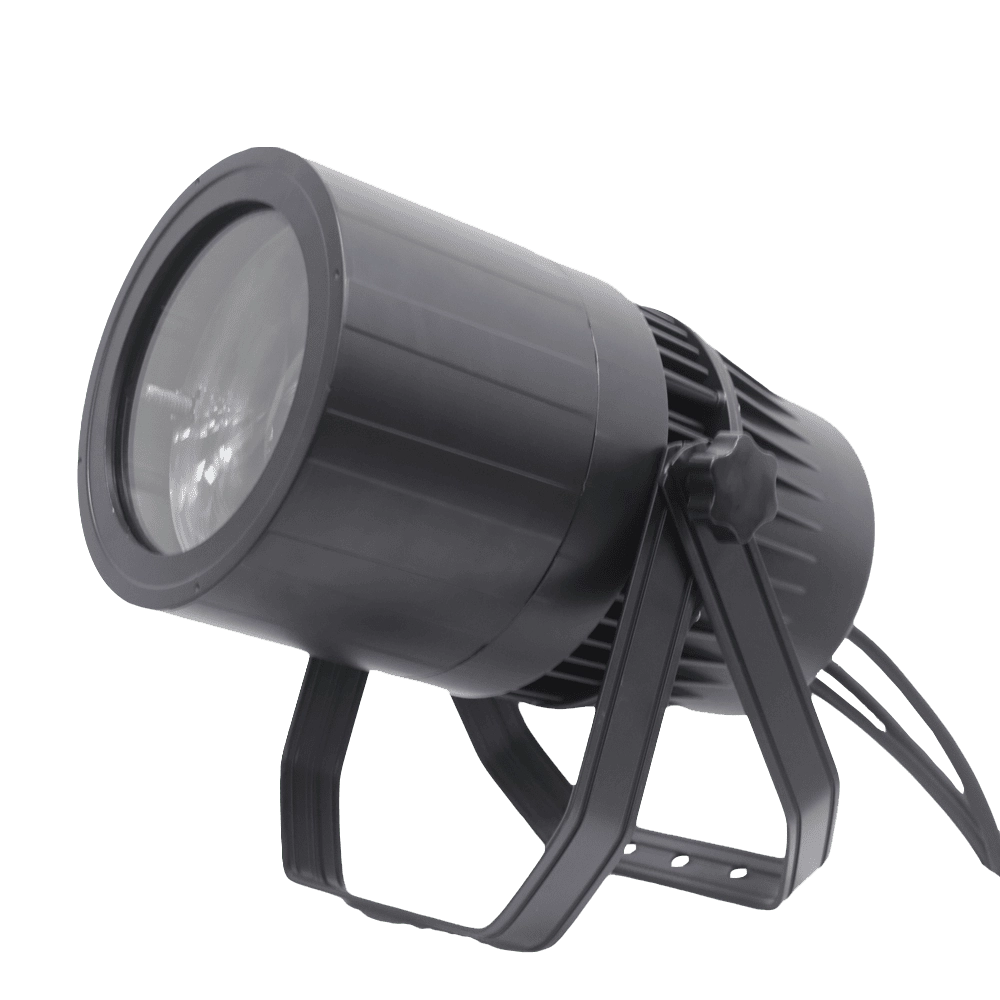
VANRAY Waterproof LED Par Light LP-200Z 200W Zoom Par Light
Introducing the VANRAY Waterproof LED Par Light LP-200Z, a 200W Zoom Par Light engineered for professional performance. Designed by Vanray, this advanced LED PAR light ensures waterproof durability, making it ideal for diverse environments. Elevate your lighting setup with optimum brightness and versatile zoom capabilities. A perfect choice for professional LED PAR light applications.
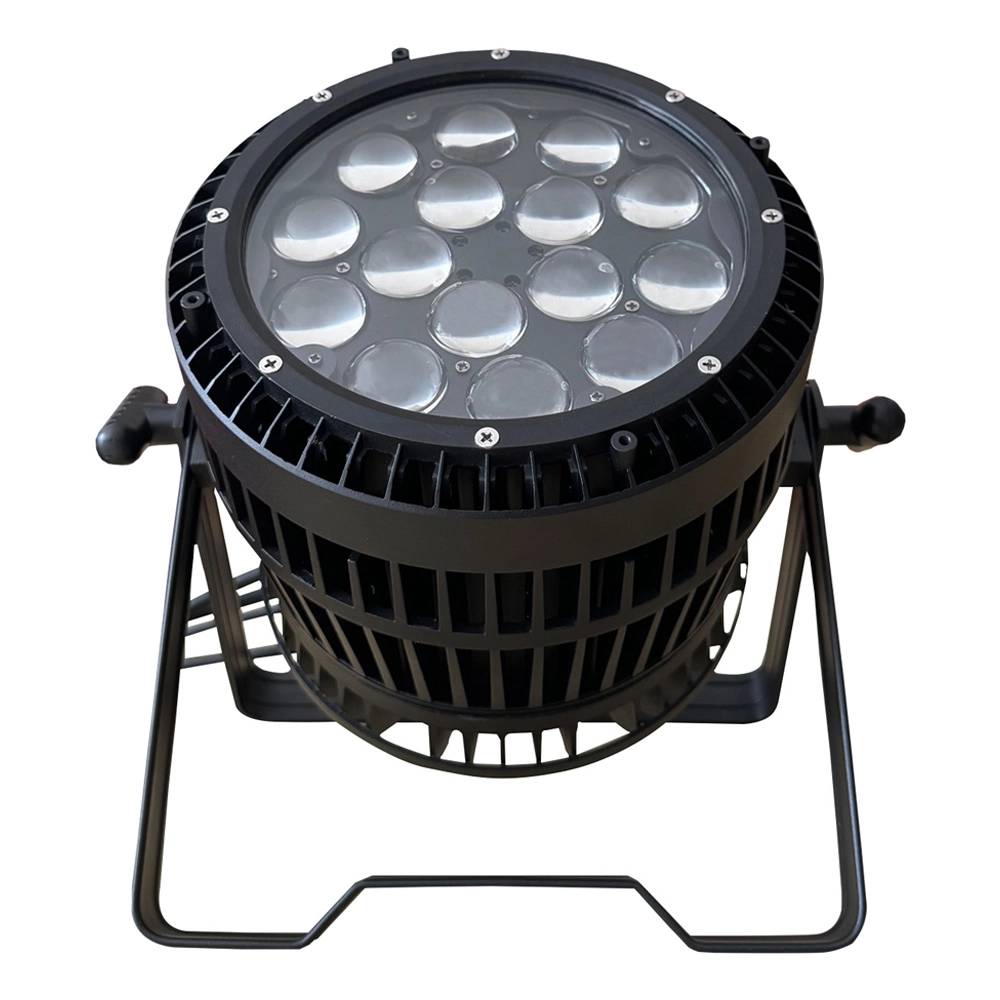
VANRAY LED Par Zoom Wash LP-1515Z 15pcs 15W RGBW Waterproof LED Par Light
Introducing the VANRAY LED Par Zoom Wash LP-1515Z, featuring 15pcs of 15W RGBW waterproof LEDs. This versatile LED wash light par is perfect for vibrant lighting effects, both indoors and outdoors. The precision of our led par zoom wash ensures an exceptional performance, enhancing any event with vivid color dynamics.
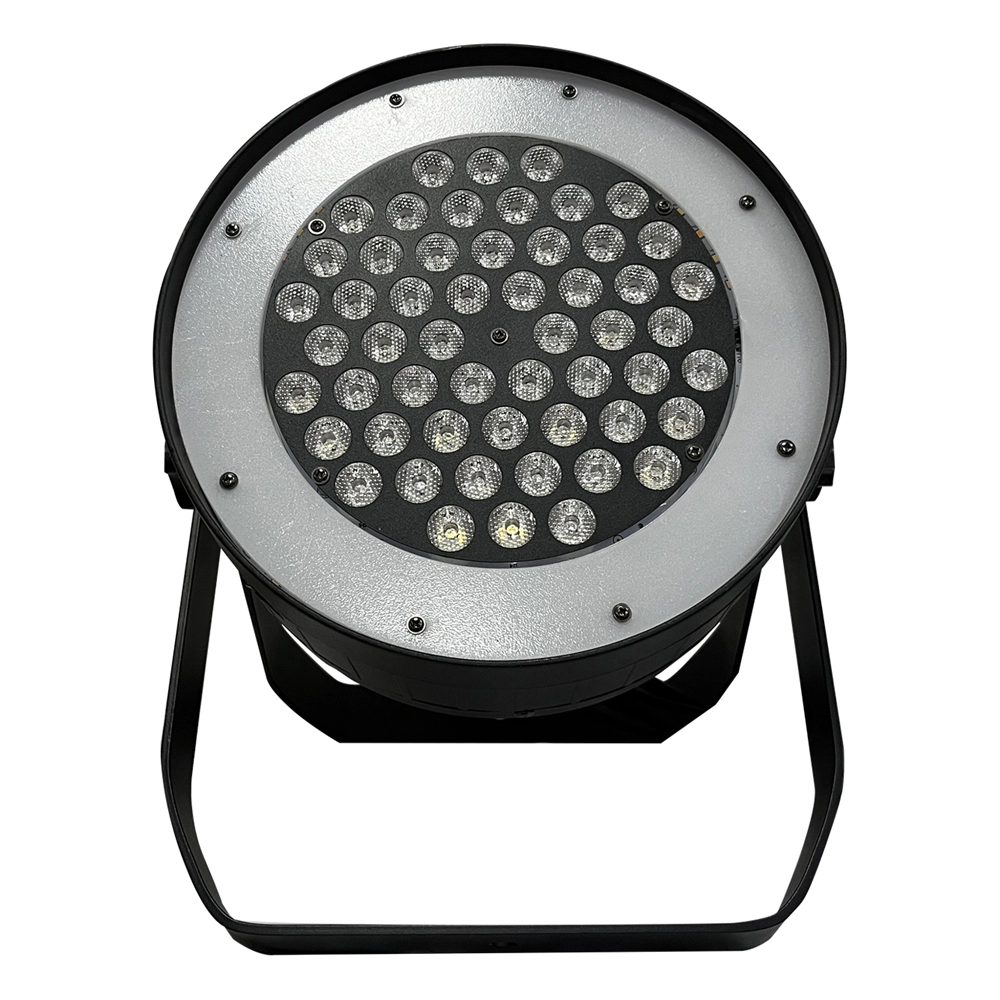
VANRAY Theater LED Par Can Lights LP-350SJL 350W White LED Par Can Lights
Introducing the VANRAY Theater LED Par Can Lights LP-350SJL, featuring an impressive 350W white LED. Ideal for stage lighting, these LED Par Can Lights deliver superior brightness and versatility. Enhance your theater productions with our cutting-edge lighting solutions. Trust Vanray for exceptional performance in LED stage lights.
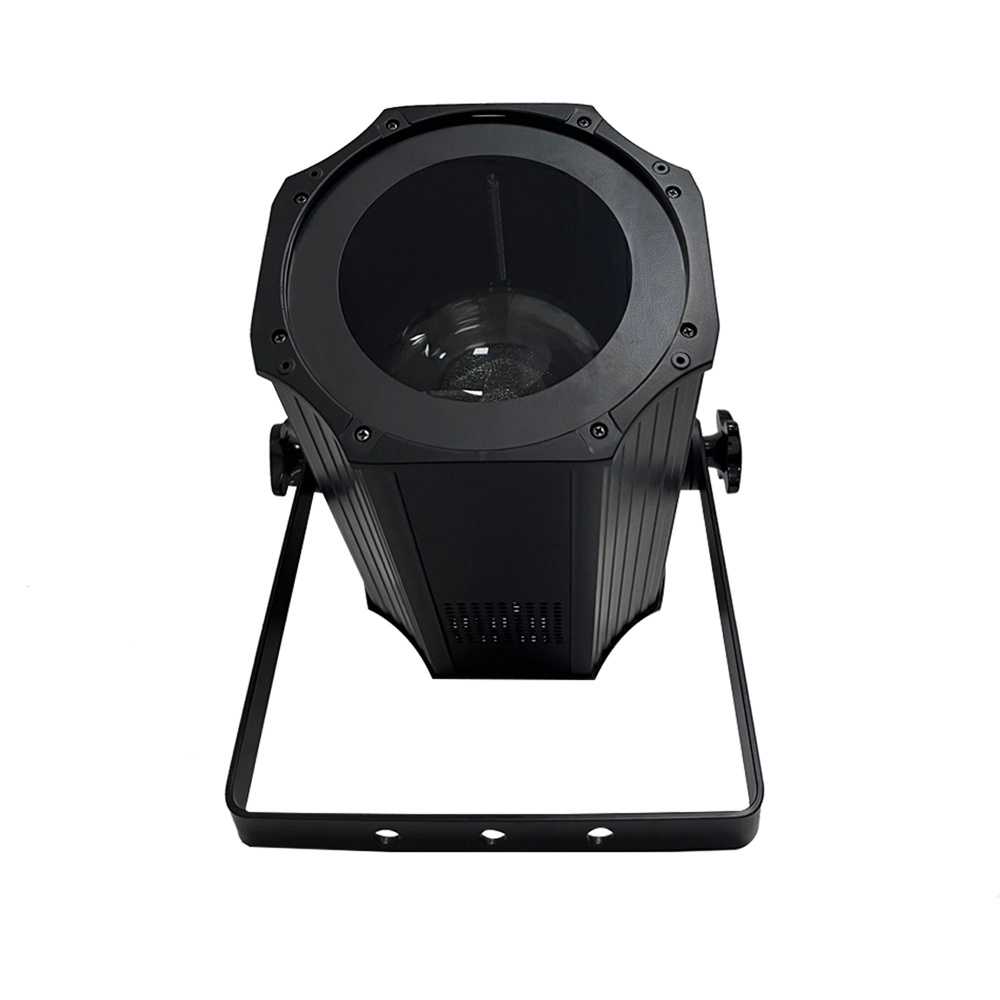
VANRAY LED Par Light Stage LP-200ZC RGBW LED Par Light Suppliers
Introducing the VANRAY LC-200ZC RGBW LED Par Light, a premium solution for vibrant stage lighting. This versatile par LED light ensures dynamic color effects, perfect for events and performances. As leading LED flat-par light suppliers, Vanray guarantees exceptional quality and performance. Illuminate your stage today with Vanray's innovative lighting technology.
As a leading Stage Lighting Manufacturer from China, VANRAY Lighting delivers a comprehensive suite of services including innovative R&D, precision production, and professional integration.
Built on decades of technical expertise, we are defined by our commitment to quality and service perfection. From theaters to grand-scale events, VANRAY is the trusted choice for reliable lighting solutions across the global entertainment and architectural sectors.
Copyright © 2025 VANRAY. All Rights Reserved.

Instagram
YouTube
Facebook